Before proceeding with the installation, check with the person in charge that the screen is properly positioned and that a power outlet and a network socket are available. If the network socket is not available, the screen can connect via Wi-Fi. In that case, you must ensure that the Wi-Fi network has sufficient bandwidth.
¶ Android Version Check
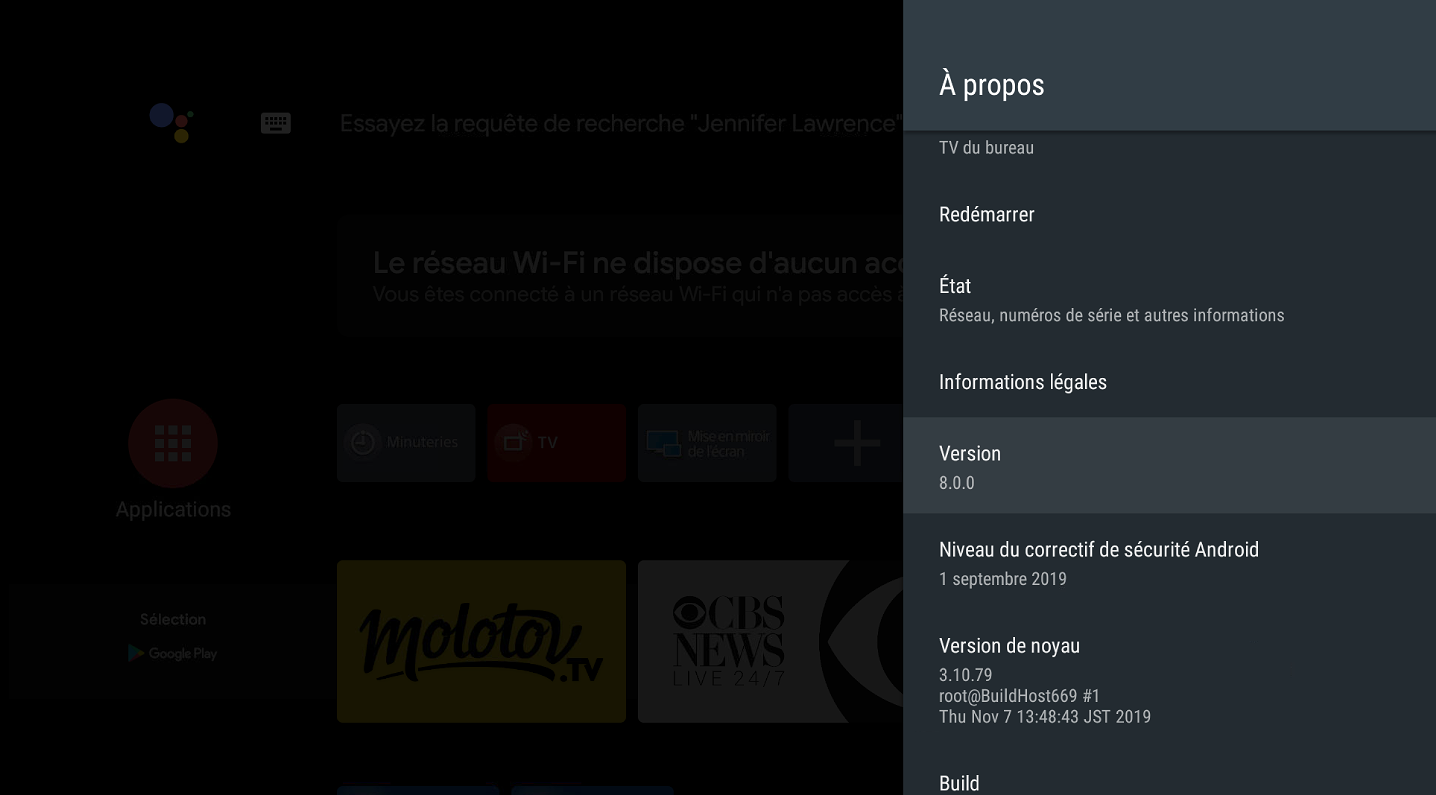
The EMITY application is not compatible with Android version 8.0. Follow this short guide to check the Android version of your TV:
-
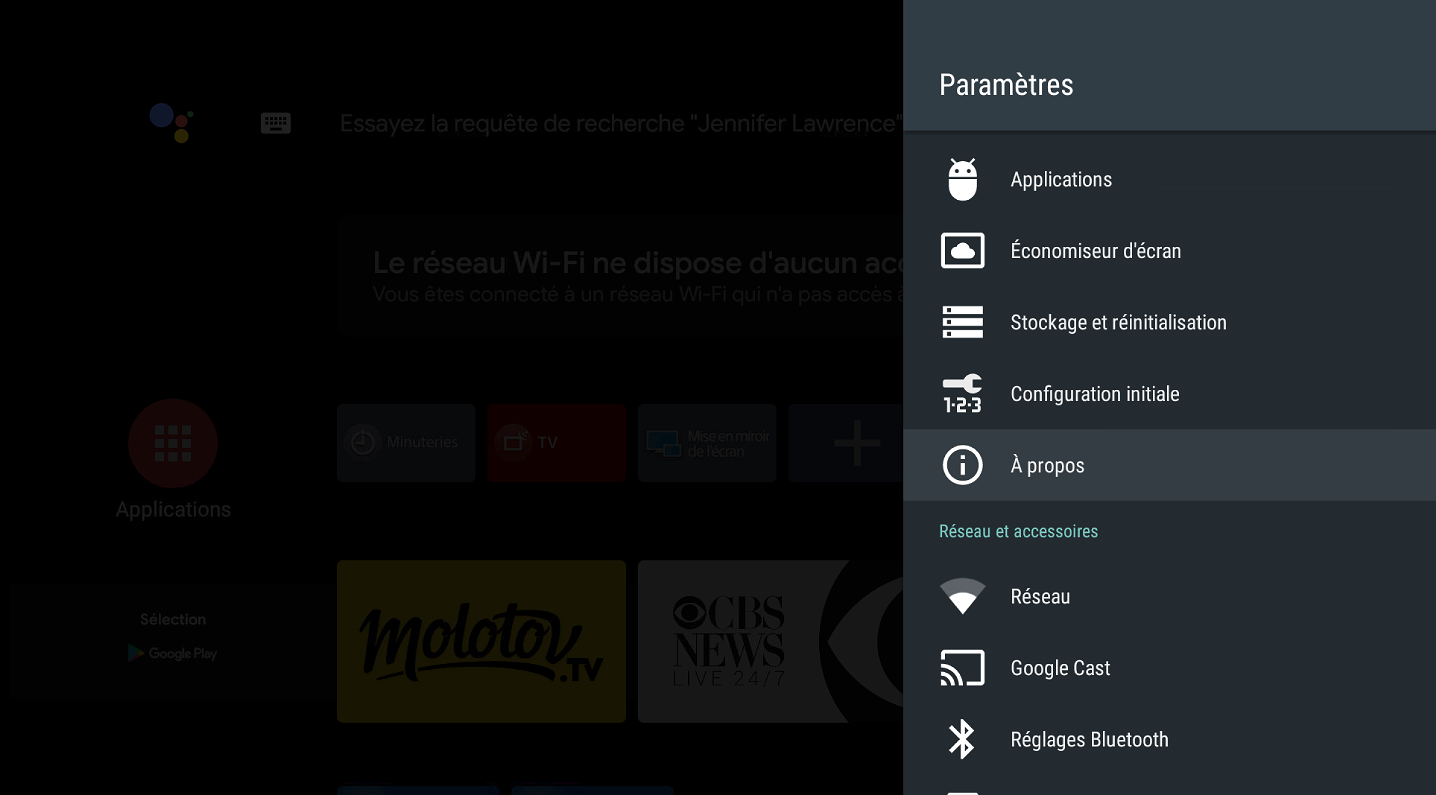
Go to the TV settings, then to the About menu:
-
The Android version will be displayed under Version:
¶ Installation
¶ ⚡ Downloads
Move these files to a USB drive. We will need them during the installation.
 Link towards the download pagehttps://wiki.emity.io/fr/public/installation/os/android
¶ 🔩 Installation
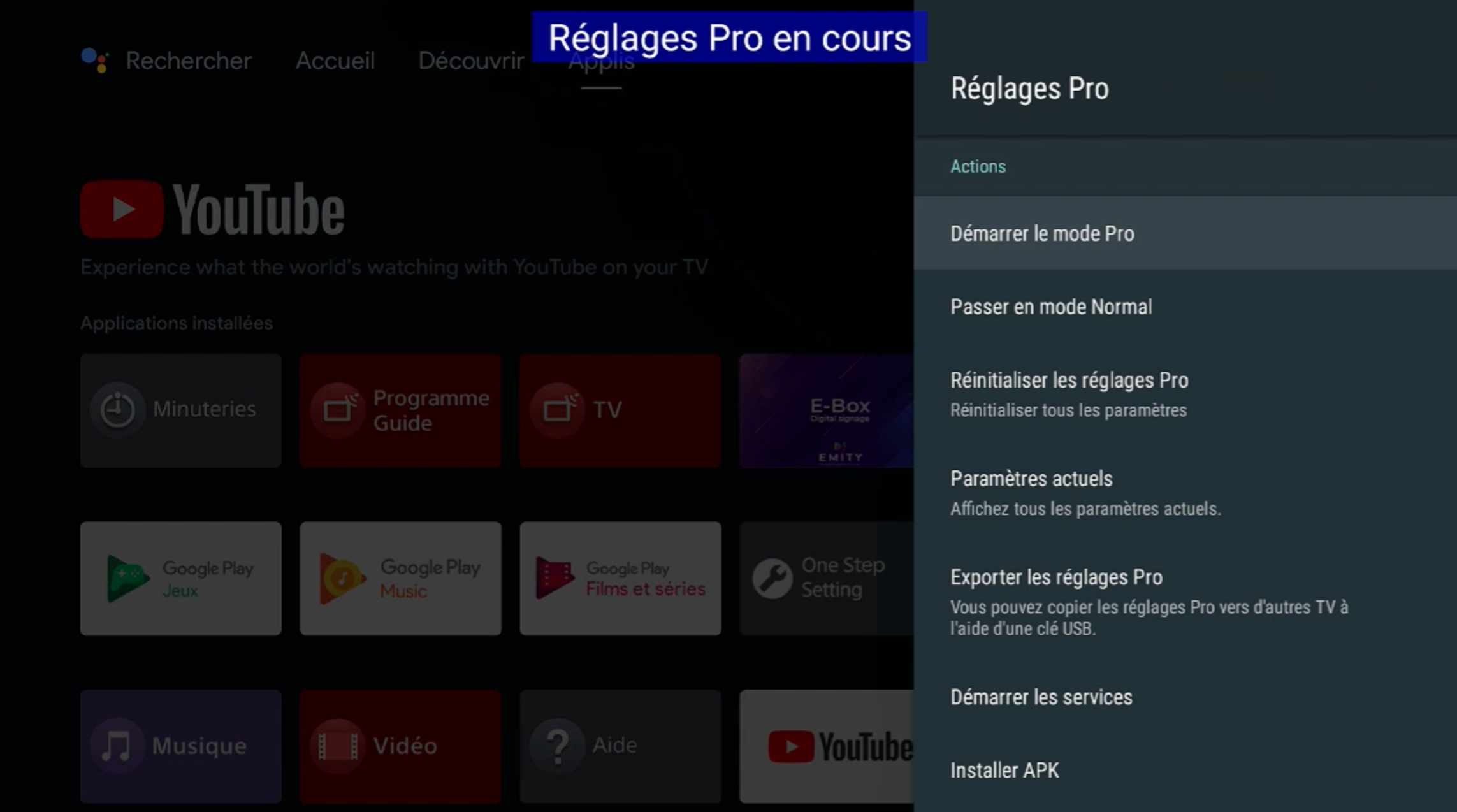
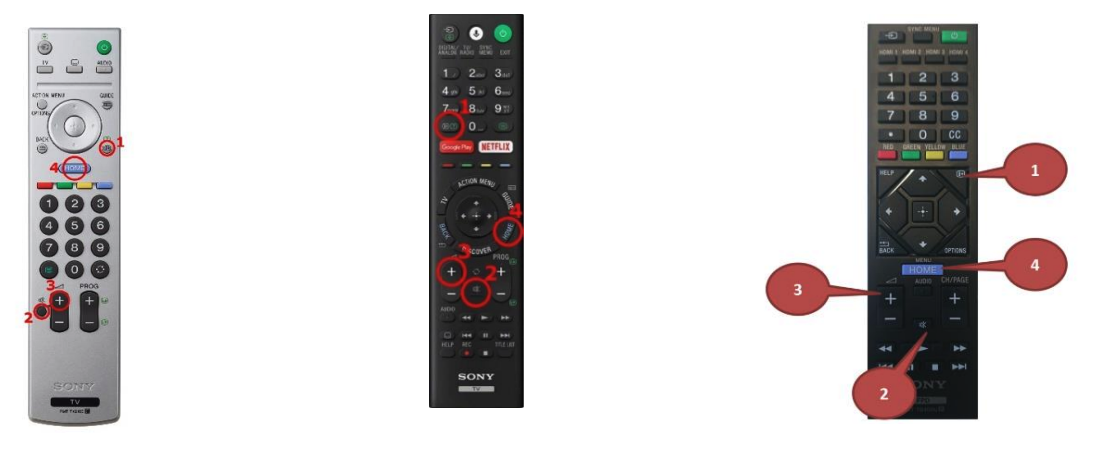
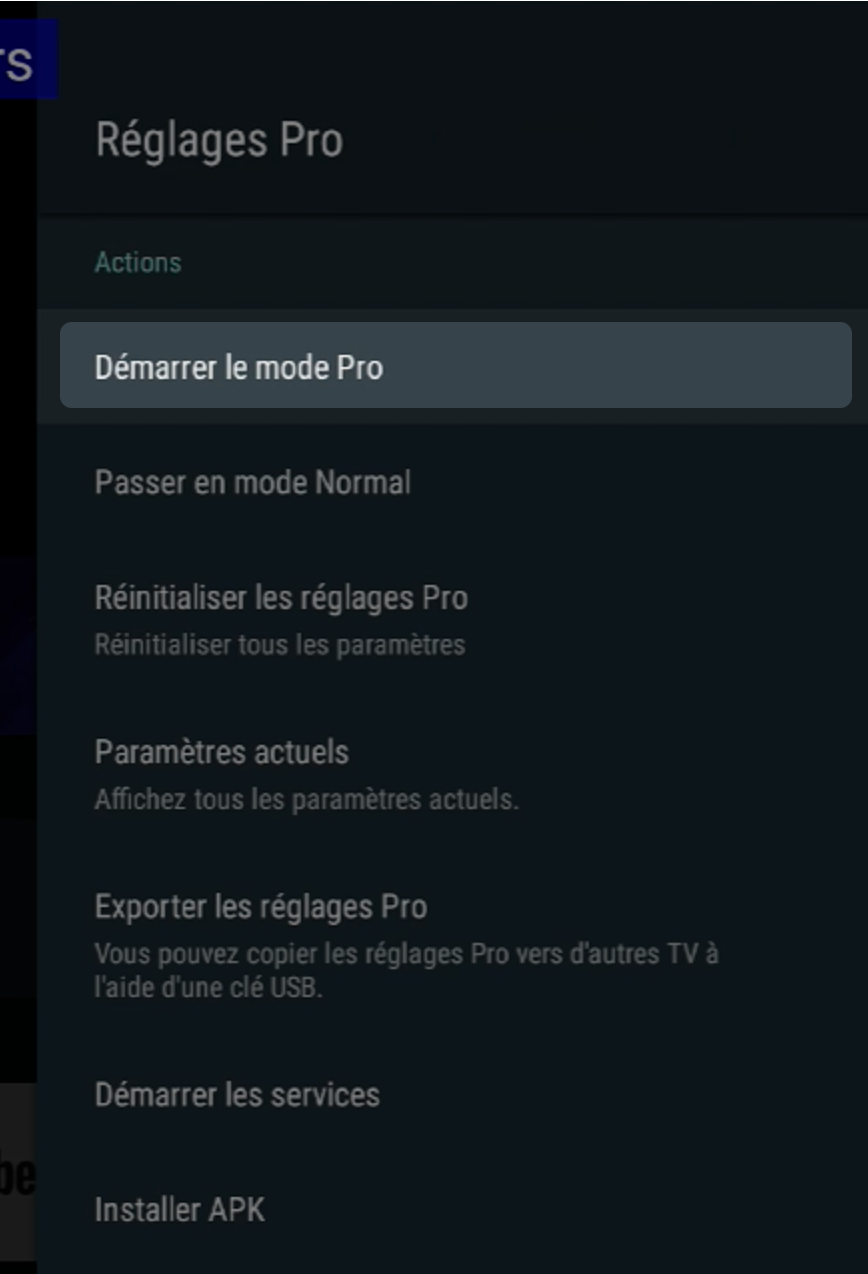 1. To start Pro Settings mode, pressi+ / mute / vol+ / home
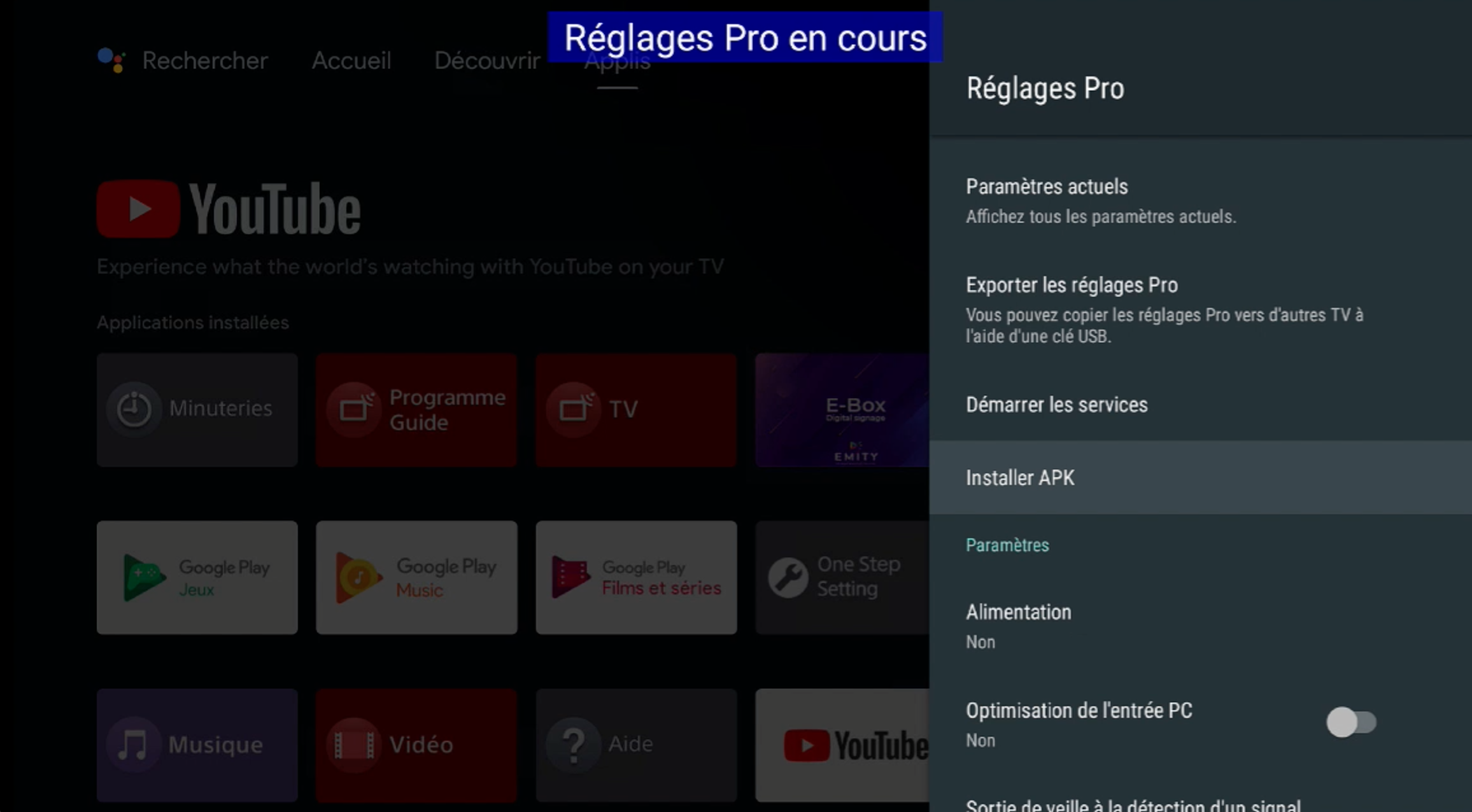
Make sure the USB drive is properly connected to the screen.
- Installing the applications: Select Install APK in the Pro Settings menu, then install the required applications (E-Box, E-Switch).
¶ ⚙️ Configuration
-
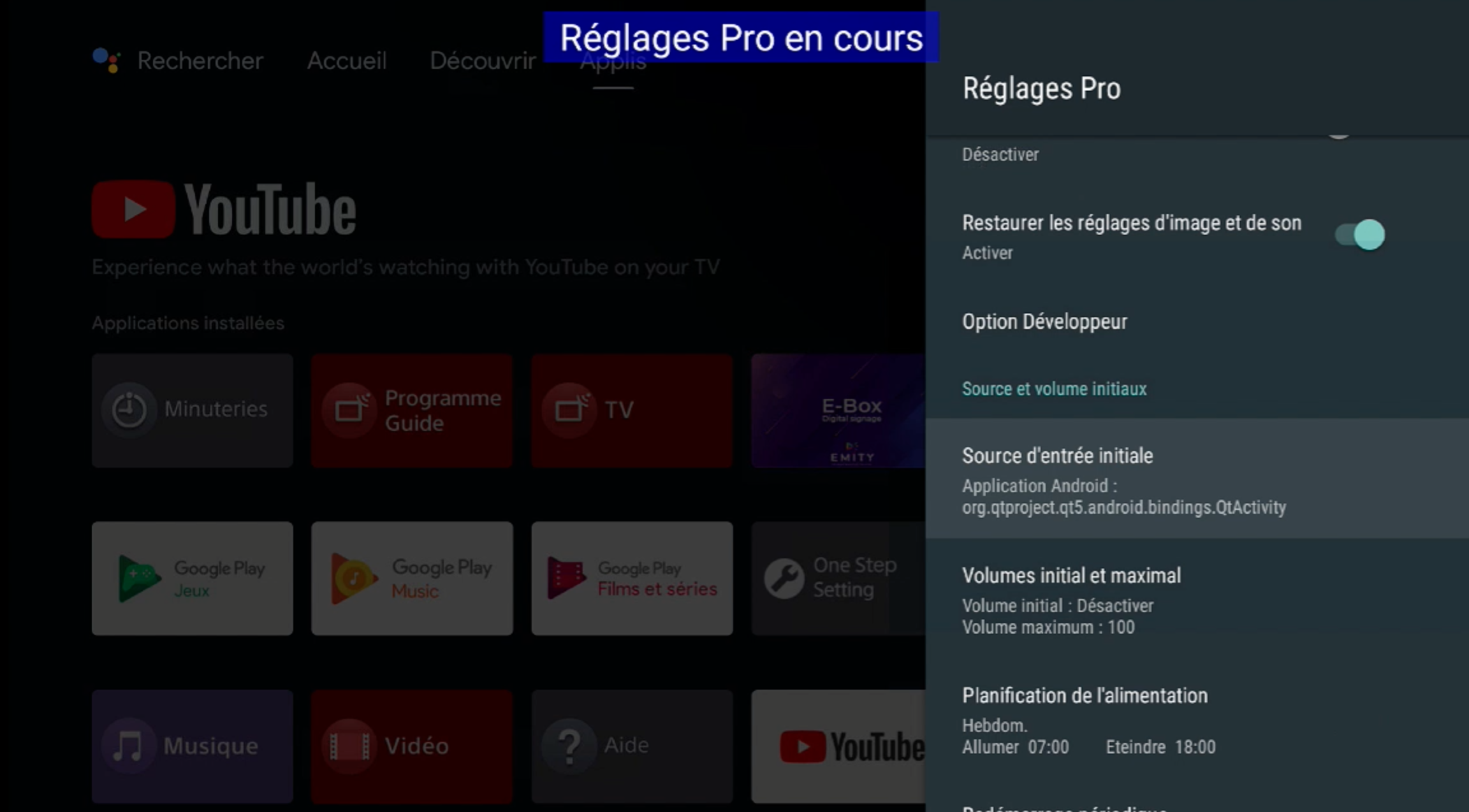
In the Pro Settings menu, go to the Initial Input Source menu.
-
Select Android Application, then enter the following information:
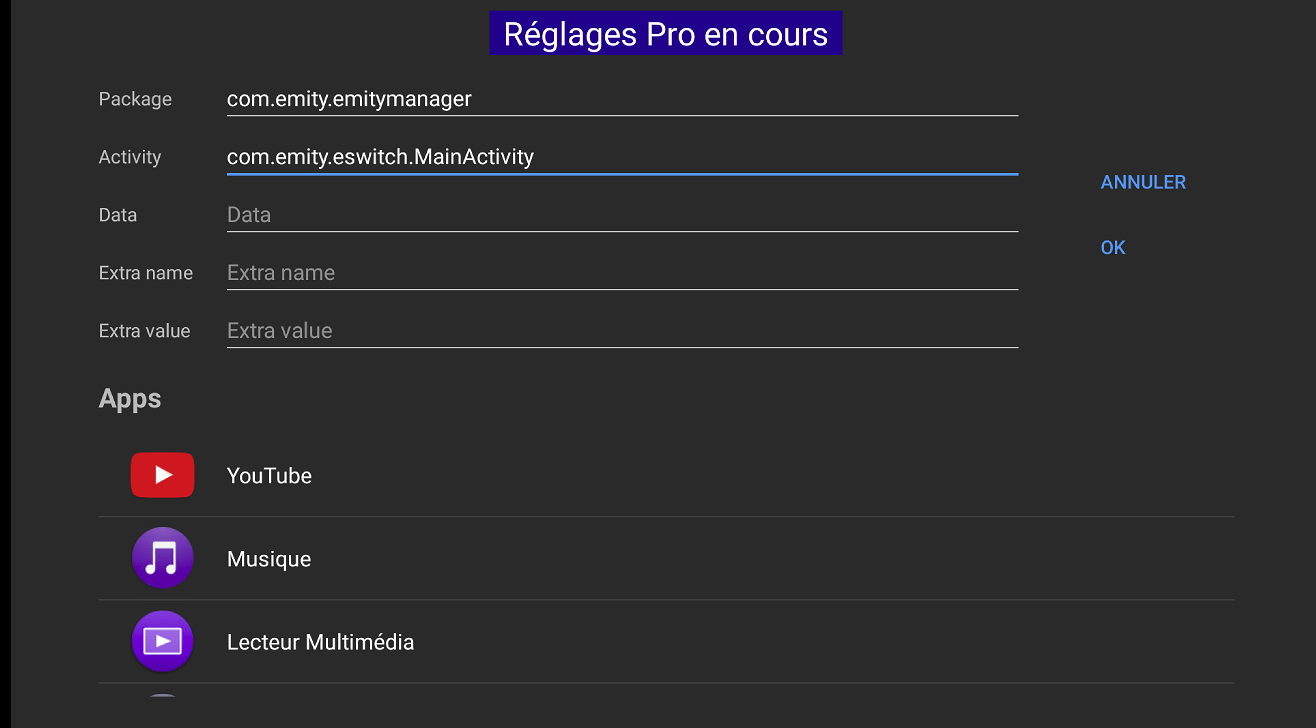
3.In the Pro Settings menu, go to the Power Scheduling menu, then enter the desired times.
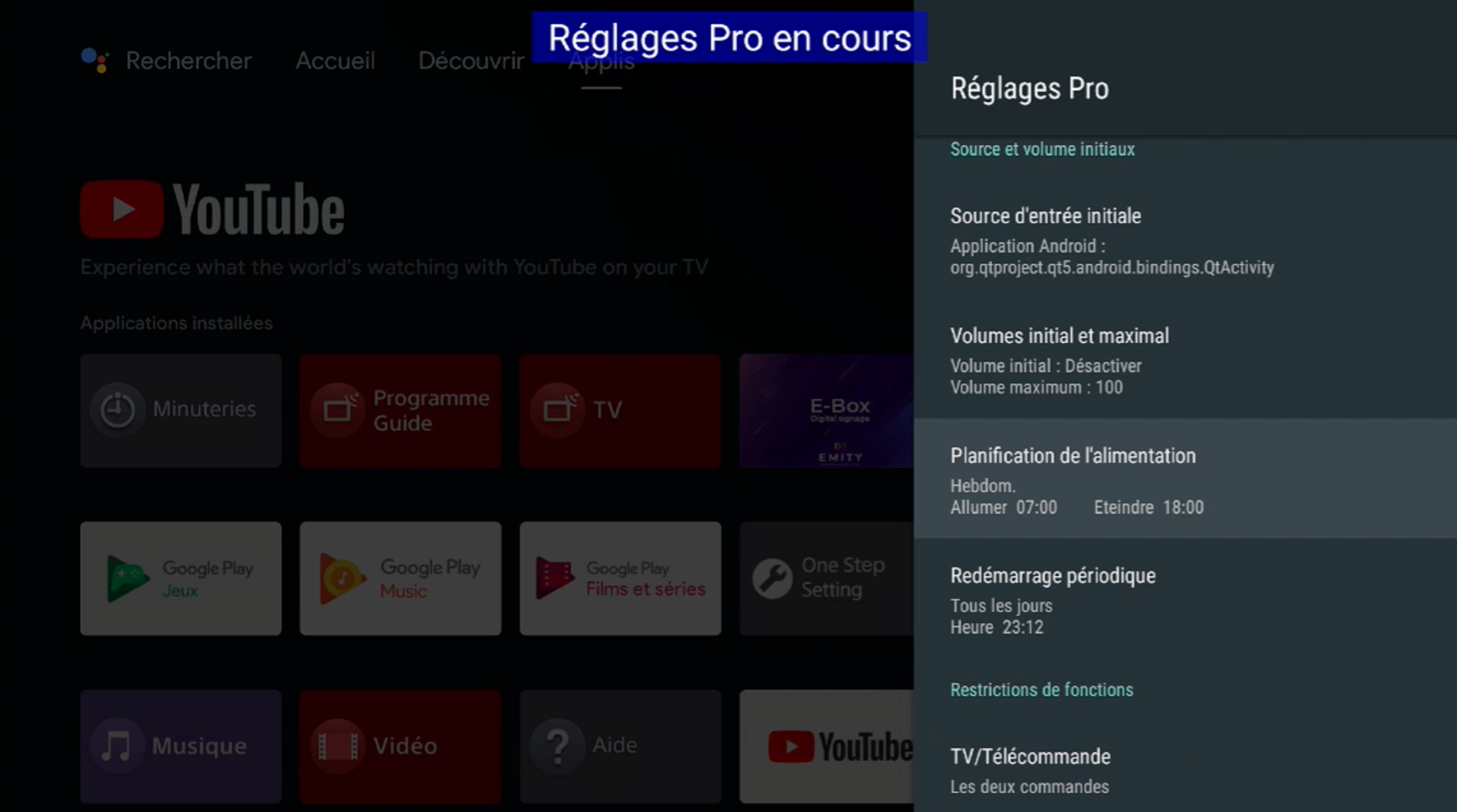
- In the Pro Settings menu, go to the Periodic Restart menu, and enter the desired time.
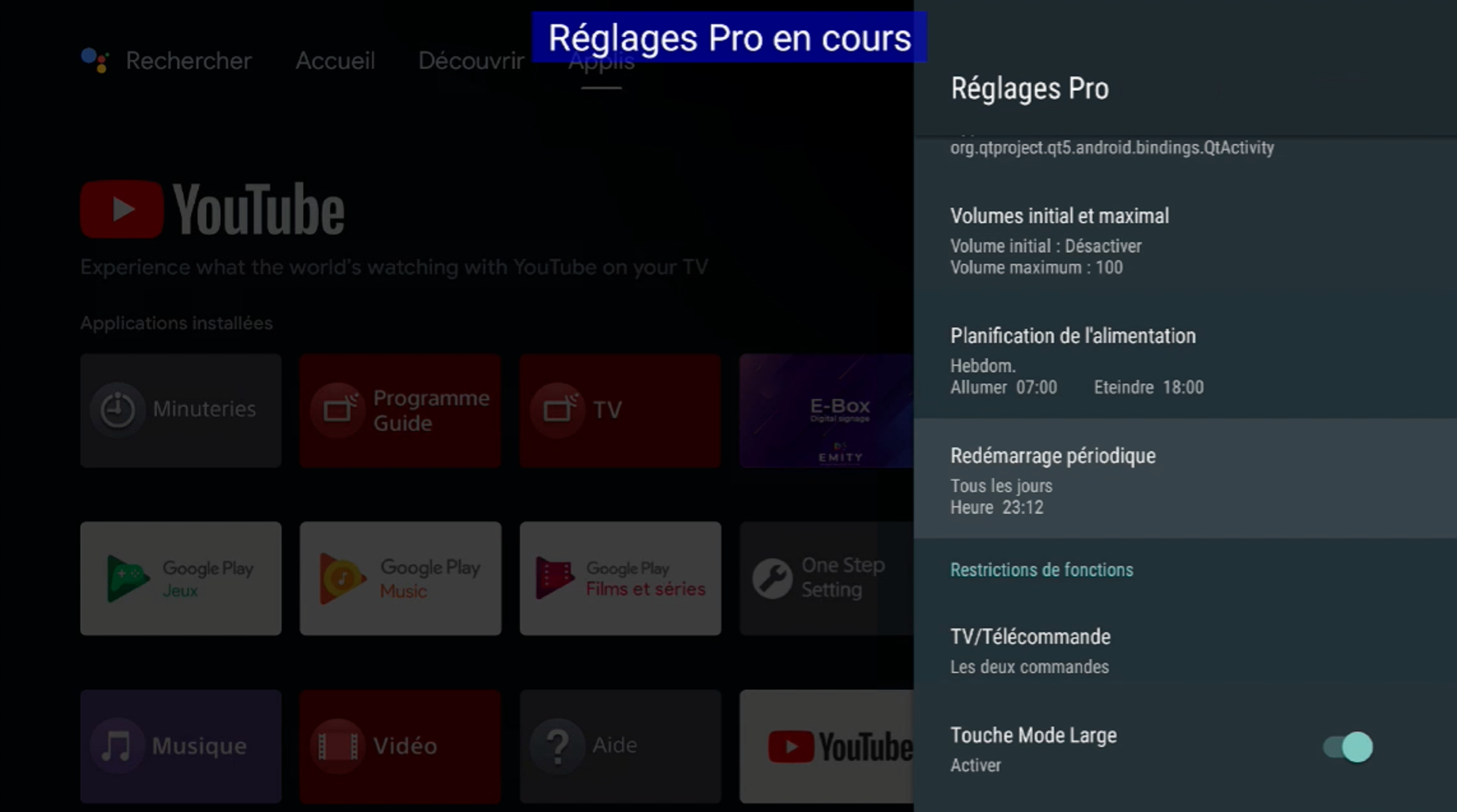
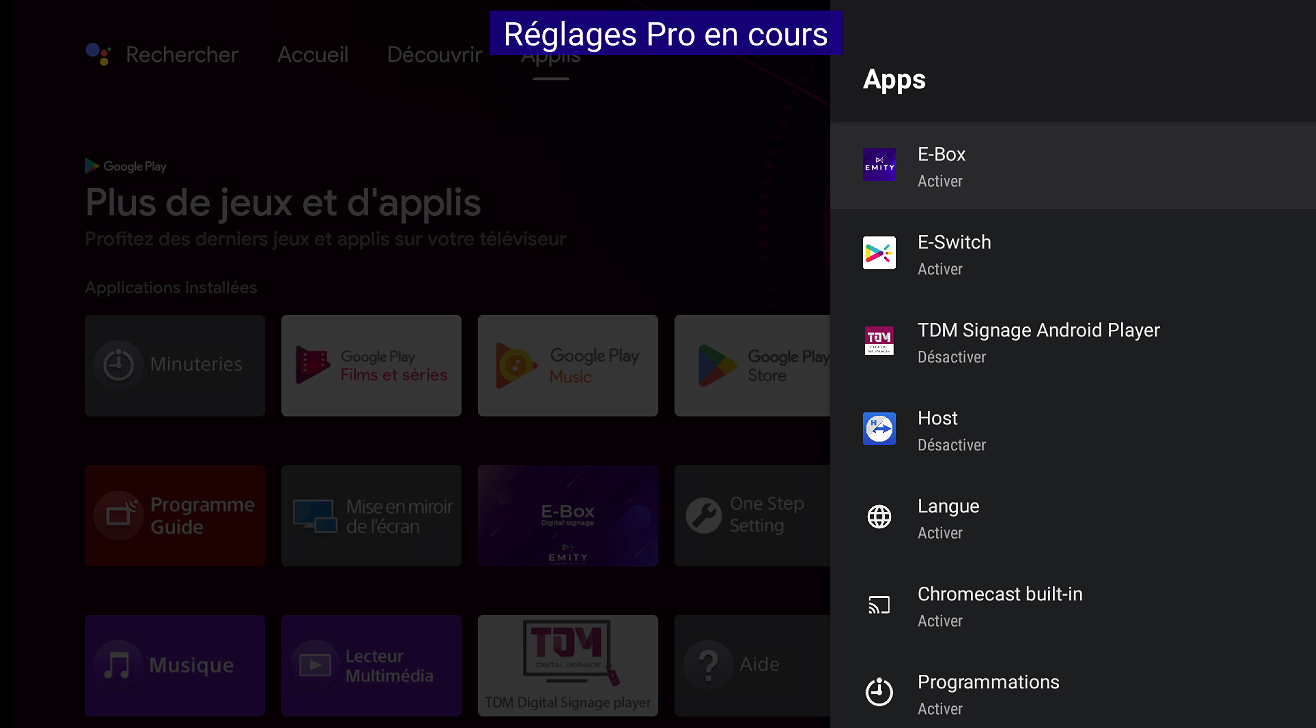
- Scroll to the bottom of the menu, then click on Apps.
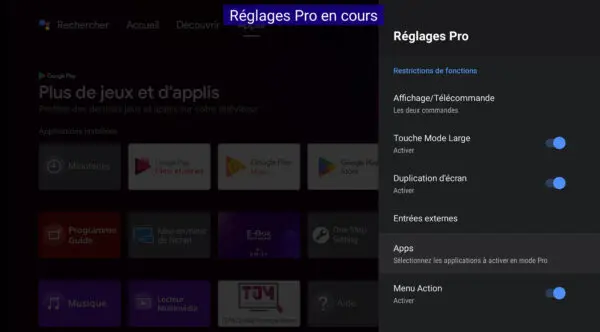
- Activate the apps E-Box and E-Switch
- Disable the application TDM Signage Android Player
¶ (Optional) Banner Deactivation
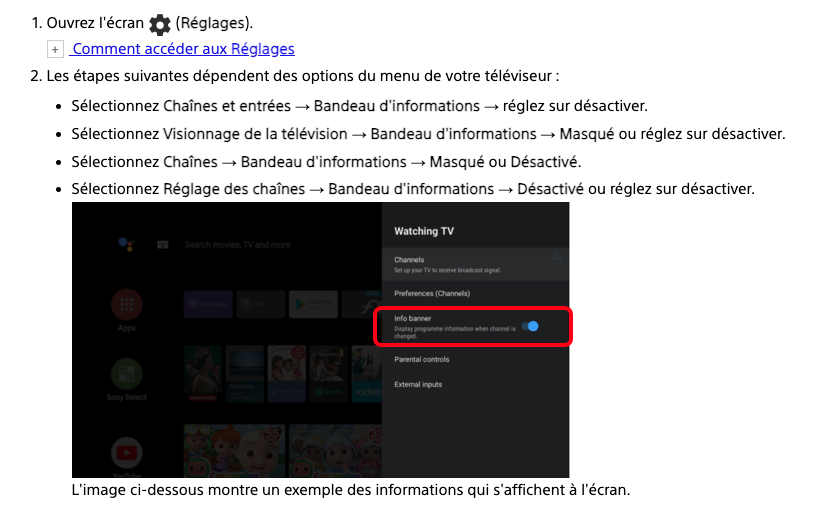
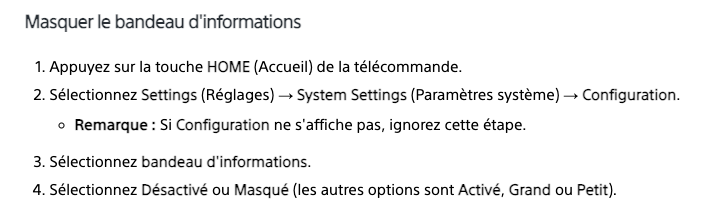
In some cases, the source display banner can be annoying. Here’s how to disable it.
If this option is not available on your TV, perform a software update.
- Once finished, you can Start Pro Mode.