 Back to FAQ
Connect your mouse to the device via USB in order to access the settings and set a static IP address for the device.
-
To access the network settings, press the Settings button when the application starts.
-
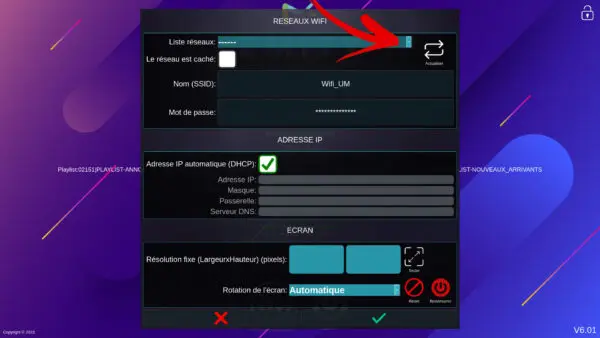
When you arrive on this page, you will need to uncheck the automatic IP address (DHCP) and enter your network settings. You can then confirm. (The device will restart)
 |
 |